Frequently asked questions
Answers to questions about Memoket, from your first recording to everyday workflows.
What is Memoket?
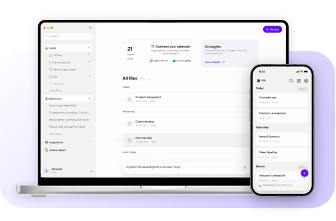
Memoket captures spoken conversations and ideas and turns them into notes, summaries, and context you can act on. Across Gem, the mobile app, and Desktop, it helps you stay present, preserve meaningful moments, and return to what matters later.
How is Memoket different from a conventional recording tool?
Its focus extends from capturing one conversation to using context across many conversations. Review a summary, ask MemoChat how a project has changed, revisit connected discussions with Spark, and bring relevant information into your existing tools. The value builds as useful conversations accumulate.
What are Memoket’s core strengths?
Flexible capture across Gem, phone, and computer; connected context across recordings; and ways to use that context in everyday workflows. MemoChat helps you ask follow-up questions, Spark surfaces relevant moments, and exports, integrations, MCP, CLI, and Personal API keys help you use your content elsewhere.
What are the main features?
Capture: record with Gem, your phone, or Desktop, or import audio. Understand: review transcripts, summaries, topics, decisions, and action items; personalize new transcription with My Voice Profile and My Dictionary. Revisit: use MemoChat, Spark, Related Context, and available Morning Memo or meeting briefs. Use and share: edit results, create reports, export files, and send content to connected tools. The sections below explain each feature and its current controls.
What are the current limitations?
AI-generated text, speaker labels, summaries, and answers can be incomplete or incorrect; check important details against the source recording. Gem-to-phone transfer, cloud upload, and AI processing are separate stages, so a completed transfer does not mean results are ready. Features depend on the client, permissions, connected services, and account benefits. My Voice Profile and dictionary changes apply to new processing rather than automatically rewriting old results. MemoChat sources should be checked; naming a folder in a question is not a guarantee that every recording in it was included.
How do I use Morning Memo and meeting briefs?
1. Open Home → Integrations → Email. Add or change the recipient email and save.
2. Turn on Morning Memo. Connect an available calendar to provide event context; the recipient email is separate from your sign-in email.
3. Open a calendar event and tap Meeting brief when one is available. Memos and briefs depend on relevant context; they are not promised for every morning or event.
How do I use Spark and Related Context?
1. Read the Spark card on Home, or open Profile → Updates → Spark for earlier insights.
2. Open a processed recording and tap Related context below the title when offered.
3. Read the context and open the listed sources to inspect the related recordings. An empty view may mean no relevant context has been found yet.
How do I invite friends and check rewards?
1. Open Profile → the invitation banner when available. Copy the invite link or code and share it.
2. Review invitation records, rewards, and Activity rules. Eligibility, limits, dates, and any purchase-confirmation period follow that activity.
3. When a reward unlocks, use the claim/redeem action shown. Review minute-pack expiry or provide the contact details requested for a physical reward.
How do I use the updated sharing flow?
1. Open a recording → Share. Choose a share link, Send link by email, an export, or a connected destination.
2. Select the content and the expiry or file format offered for that action. Preview before sending.
3. Check the sent result or exported file. A share link requires cloud audio and internet; generated-content exports require the relevant results to be ready.
How do I use Free benefits and invite minute packs?
1. Open Profile → Your Plan to review your current benefits and remaining allowance.
2. Open minute-pack details to inspect balance, source, expiry, and availability. Eligible invitation packs can be used on Free while valid.
3. Use an available transcription action after checking the account message. Do not assume every voucher or pack follows the same rules.