Frequently asked questions
Answers to questions about Memoket, from your first recording to everyday workflows.
How do I use Font size and Preferences?
Open Profile → Personalization → Font size to choose the reading size. Open Preferences separately for transcription languages, Speaker labeling, Summary language, AI model, Auto-generate, Show Spark, and supported Auto noise reduction. Change only the setting for the result you want.
Which permission should I turn back on if a feature stops working?
Use phone Settings → Memoket. Restore Microphone for phone recording, Bluetooth/Nearby devices for Gem, or Local Network/nearby Wi-Fi for Boost as requested. Camera/photos, notifications, and external-service authorization are separate choices.
Does clearing storage delete my cloud recordings?
Storage cleanup removes recoverable local copies and logs; it is different from deleting a recording or account. Cleared audio may need downloading again. Before deleting content, export anything you need and read the confirmation.
How do I move a recording to a folder or find it again?
Use Home’s search or folder filter. Open the recording’s more menu → Move to folder, choose the destination, and check that folder afterward. A folder name is separate from the recording title.
Where can I download Desktop or update Memoket?
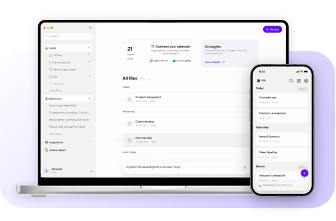
Use the official download page for the matching Mac/Windows installer. Update the mobile App through its store. For Gem firmware, use the update prompt in device details and keep the connection stable until it finishes.
Where can I check privacy information or remove access?
Read the official Privacy Policy linked on the Memoket website. Review connected services in Integrations and revoke unwanted API keys in Desktop. Avoid sharing passwords, keys, or sensitive recordings in public support channels.
How do I report a problem that these answers don’t solve?
Open Profile → Help and support → Report Issues & Feedback, or email hello@memoket.ai. Include the version, time, exact error, and relevant screenshot. For recording issues, include the recording title/time and last completed stage.
How do I invite a friend and see my rewards?
Open Profile and tap the invitation banner when available. Copy your invite link/code and share it. Open invitation records/rewards to check progress and Activity rules for eligibility, limits, dates, and any confirmation period.
Where does a new user enter an invite code?
On the invitation page, choose Enter your friend’s code when available and apply the code. Eligibility and the time window follow the current activity rules. An existing or already-linked account may not qualify.
How do I use or claim an invite reward?
Check invitation progress and View rewards. Claim or redeem a reward only when unlocked and follow the form shown. Eligible invite minute packs can be used while valid on Free; inspect the remaining minutes and expiry in the pack details.